Get the app

Never lose track of where you put it

Photograph a thing once. PeekVio remembers the box, the room, and what it’s worth.

Free to start on iPhone and Android
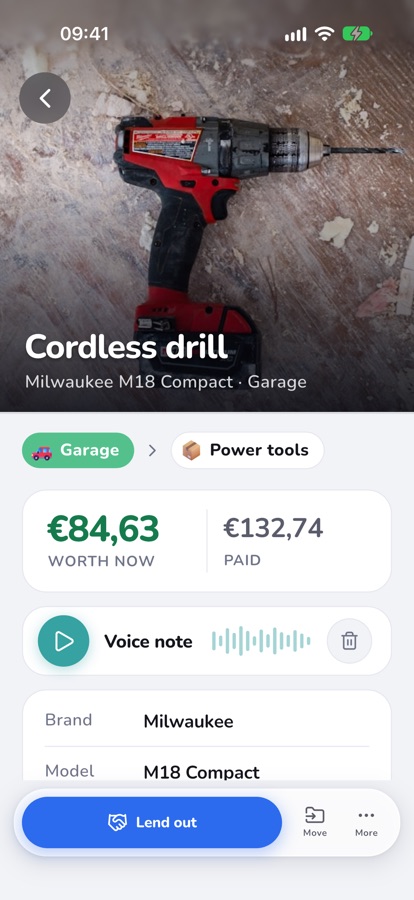
PeekVio item screen: Cordless drill, Milwaukee M18 Compact, in Garage, Power tools box, worth €84,63
Free to start
Pro when you need more
iPhone & Android
One inventory on both
14 languages
From Svenska to 日本語
Your currency
Values in what you spend
How it works

Three steps, and the box tells you what’s inside

Mirrorless camera$640
ValuableFragile
STEP 1

Snap it

Take one photo. AI names the item, notes the brand and model, and estimates what it’s worth.
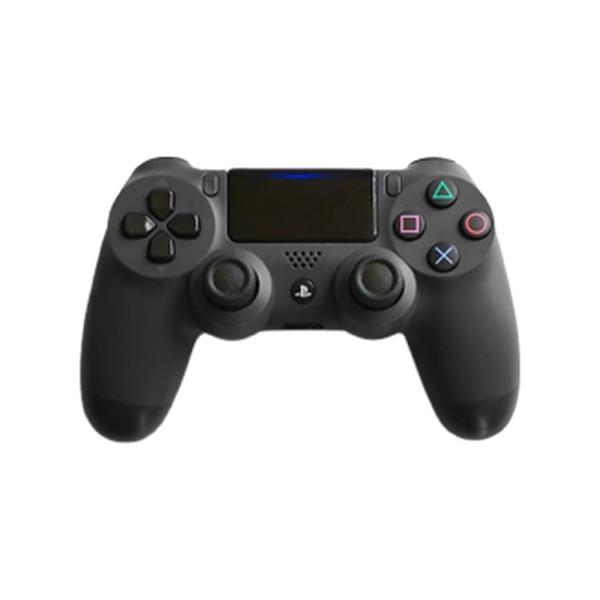
Game night#7
3 items · Living room
Any QR label links to the box
STEP 2

Box it

Put it in a box and stick a label on the outside. Every box gets a number you can read from across the room.

ring
Diamond ring
Bedroom › Jewellery box · #2
STEP 3

Find it

Search by name, brand or author, or scan the label and see what’s in the box without opening it.

Inside the app

Spaces hold boxes. Boxes hold things.

The way your home is already organised, only searchable.
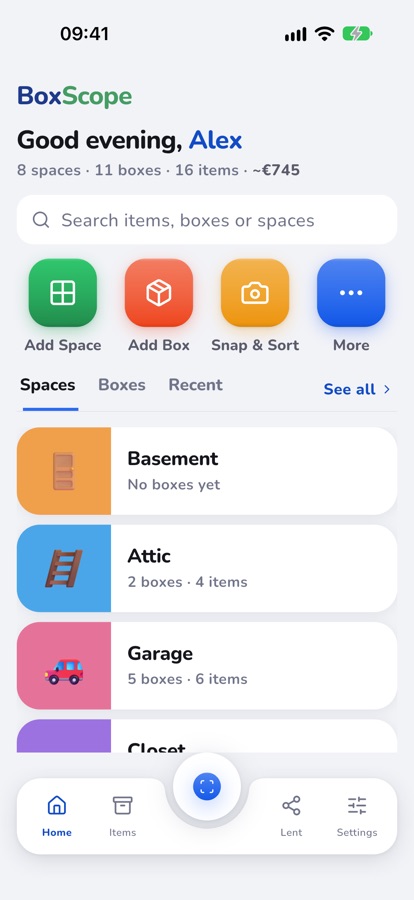
Home screen with spaces Basement, Attic and Garage
Your home at a glanceEvery space, box and item, with the total value up top.
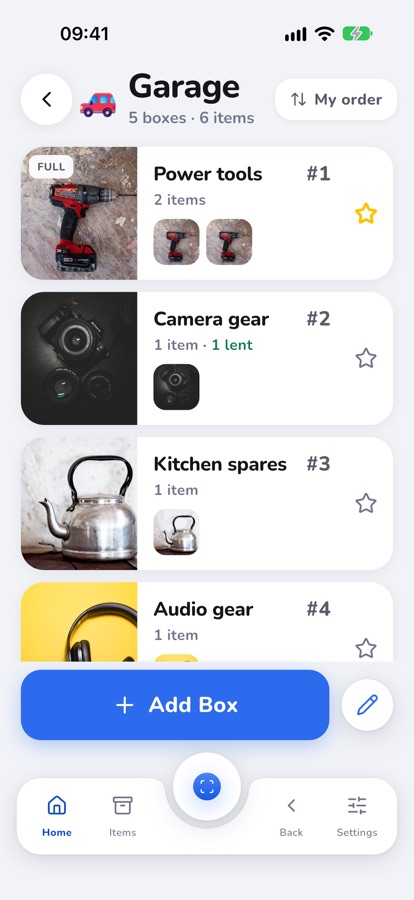
Garage space listing numbered boxes
Numbered boxesSee what’s in each box from the list, and which one is full.
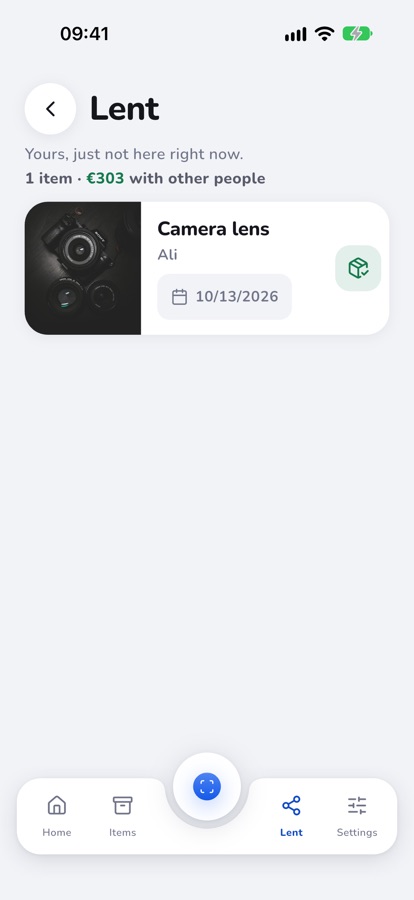
Lent screen listing a camera lens lent to Ali
Who has itLend something out and it stays on your list until it comes back.
Features

Made for the things you keep, lend, sell and give away

Snap & Sort

Photograph a whole shelf first. Sort the pictures into boxes later, when you have the time.

Label scan

Point your phone at a box label and its contents appear. Works with QR codes.

Barcode lookup

Books, games and boxed products fill in their own title, author or model from the barcode.

Lent out

Note who borrowed what. Add a return date and PeekVio reminds you.

Claims Guard

A photo record of what you own, valued and ready to hand to an insurer.

Donation record

Choose what you gave away and get an itemised list with photos and estimated values.

Pro Lister

Drafts a resale listing from the item’s photo. You post it yourself, wherever you sell.

Shared spaces

Choose which spaces to share and who can edit. Everyone sees the same boxes, always up to date.

Archive

Sold, donated or thrown out, the record stays. Totals only count what you still have.

Privacy

Your inventory is yours

A list of everything you own is personal. We built PeekVio to keep it that way.

  • We don’t sell your dataYour list is used to run PeekVio for you, nothing else.
  • Cut-outs happen on your phoneRemoving a photo’s background never leaves the device.
  • Delete everything from SettingsYour account, boxes, photos and voice notes, permanently.
  • Made in Västerås, SwedenRun under EU data protection law (GDPR).

Pricing

Free to start. Pay when you share.

Boxes and items are unlimited on every plan. Paid plans add people, places and a monthly AI allowance.

Free

To get started
$0forever
  • Unlimited boxes and items
  • AI fills in your first 50 items
  • 1 place
  • Export to CSV and Excel
Get PeekVio

Pro

You and one more
$49.99/ yearabout $4.17 a month
  • 2 people
  • 2 places
  • 3,000 AI items a month
  • See who changed what
  • Web panel on a big screen
Try free for 7 days

Family

A household
$79.99/ yearabout $6.67 a month
  • 4 people
  • 3 places
  • 4,500 AI items a month
  • See who changed what
  • Web panel on a big screen
Try free for 7 days

Team

Crews and small shops
$159.99/ yearabout $13.33 a month
  • 6 people
  • 10 places
  • 6,000 AI items a month
  • See who changed what
  • Web panel on a big screen
Try free for 7 days

Prices in US dollars; the App Store and Google Play show the price in your currency. Subscriptions renew until you cancel in your store account.

Questions

Before you download

Is PeekVio free?

Yes. Boxes and items are unlimited on the free plan, and AI fills in your first 50 items for you. After that you add items by hand, still without a limit. Pro, Family and Team add a monthly AI allowance and sharing.

Do I need special labels?

No. Scan any QR code and link it to a box.

How accurate are the values?

They’re estimates from the photo, a starting point you can change. They aren’t an appraisal.

Can my family use the same inventory?

Yes. Choose which spaces to share: Pro covers 2 people, Family 4 and Team 6, all looking at the same boxes.

Which languages does it speak?

English, Deutsch, Español, Français, Svenska, Italiano, 日本語, Português, Dansk, Polski, Nederlands, Čeština, Ελληνικά and Suomi.

Stop opening boxes to find out

Free to start on iPhone and Android.

Download on the App Store Get it on Google Play